Buying Music for Beginner DJs: A Practical UK Guide
1. Why Buying Music Matters for New DJs
Starting a DJ career without a solid music collection is like trying to paint without colours. Purchasing tracks legally gives you access to high‑quality audio files, consistent updates, and the peace of mind that you won’t be pulled from a gig for copyright infringement. For beginners in the United Kingdom, the market offers a blend of local and international sources, each with its own strengths.
Beyond legality, buying music helps you develop a personal catalogue that reflects your style. Curated collections make it easier to read a crowd, build confidence, and transition smoothly between tracks. This foundation also supports long‑term growth, allowing you to expand into remixing or original productions later on.
2. Legal Sources for DJ‑Ready Tracks
When you’re buying music for beginner DJs, the first question is where to obtain tracks that are ready for performance. The safest route is to use services that specialise in DJ‑focused licensing. These platforms typically provide MP3 or WAV files with the appropriate performance rights for clubs, festivals, and online streaming.
In the UK, popular options include:
- Record pools such as DJcity, BPM Supreme, and Beatport LINK.
- Direct label stores like Ministry of Sound or UK‑based independent labels.
- Mainstream digital retailers (iTunes, Amazon Music) that offer commercial licences.
Each source varies in terms of catalogue breadth, update frequency, and cost structure, so it’s worth reviewing them against your specific needs.
3. Comparing the Top Record Pools
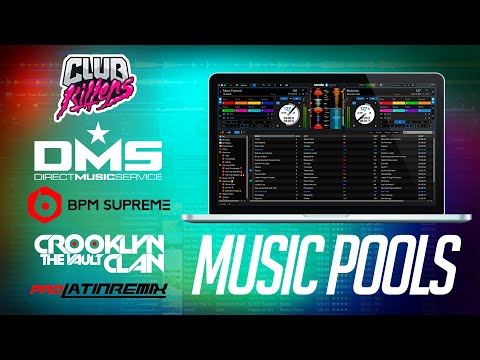
Record pools are subscription‑based services that deliver fresh music to DJs on a weekly basis. Below is a quick comparison of three leading pools that cater well to beginners.
| Pool | Catalogue Size | Update Frequency | Typical Monthly Cost (GBP) | Best For |
|---|---|---|---|---|
| DJcity | ~25,000 tracks | Weekly | £39 | Hip‑hop, R&B, mainstream chart |
| BPM Supreme | ~30,000 tracks | Weekly | £44 | Electronic, house, techno |
| Beatport LINK | ~35,000 tracks | Daily | £49 | EDM, festival‑ready anthems |
All three offer a free trial period, which is useful for testing the dashboard, search features, and download speeds before committing to a subscription.
When choosing, consider the genres you’ll play most often, the integration with your DJ software, and whether the pool provides high‑resolution files (24‑bit/96kHz) if you need them for professional gigs.
4. Pricing Models and What to Expect
Pricing for DJ‑focused music services generally falls into three categories: subscription, pay‑per‑track, and hybrid. Subscriptions give you unlimited downloads for a flat monthly fee, which is ideal for beginners who want to experiment without tracking individual costs.
Pay‑per‑track models, often found on label stores, charge per download and can be more expensive over time if you purchase frequently. Some platforms combine both approaches, offering a low‑cost “starter” plan with a limited number of downloads and a full‑access tier for heavy users.
When budgeting, factor in any additional fees such as VAT, which is standard on UK transactions, and consider whether the service offers student or early‑career discounts.
5. Setting Up Your Digital Music Library
Once you have purchased tracks, organising them efficiently is crucial. A well‑structured library reduces the time spent searching during a set and helps you maintain a clear overview of your repertoire.
Follow these steps to create a reliable workflow:
- Folder hierarchy: Genre → BPM → Key (e.g., “House → 125‑130 → A‑Minor”).
- Consistent file naming: Artist – Title (Remix) [Key] [BPM].mp3
- Use a music manager like iTunes, Rekordbox, or Serato Library to tag metadata automatically.
Regularly back up your library to an external drive or cloud storage. This safeguards against hardware failure and ensures you can restore your collection quickly if needed.
6. Integrating Music with Popular DJ Software
Most record pools and digital retailers provide direct integration with leading DJ applications such as Rekordbox, Serato DJ, Traktor, and Virtual DJ. Integration typically works through an API or a built‑in “import” button that transfers tracks straight into the software’s library.
Key points to verify before signing up:
- Compatibility with both Windows and macOS.
- Support for cue‑point syncing and waveform analysis.
- Availability of a mobile or web dashboard for remote track management.
Testing the integration during a free trial helps you assess reliability and workflow smoothness, reducing the risk of technical hiccups during live performances.
7. Support, Updates, and Ongoing Value
Reliable customer support is a vital component of any service you use for buying music for beginner DJs. Look for platforms that offer 24‑hour ticket systems, live chat, or phone support, especially if you plan to perform at late‑night venues.
Regular catalogue updates are equally important. A pool that adds new releases each week ensures you stay current with chart hits and club‑ready edits, helping you keep the dancefloor moving.
8. Common Pitfalls and How to Avoid Them
Beginners often make mistakes that can waste time and money. One frequent error is purchasing tracks from unverified sources, which can result in low‑quality files or licensing issues. Always confirm that the service provides proper performance rights for public play.
Another pitfall is neglecting to organise the library immediately after download. A cluttered collection makes set preparation stressful. Set aside a few minutes after each download session to sort files according to your chosen hierarchy.
9. Quick Decision Checklist for Buying Music
Before you commit to a service, run through this short list to ensure it meets your needs:
- Does the catalogue cover the genres you intend to play?
- Is the pricing model aligned with your budget?
- Can the service integrate directly with your DJ software?
- Are updates provided at a frequency that keeps you fresh?
- Is there responsive support for troubleshooting?
Answering “yes” to most points indicates a solid fit for a beginner’s workflow.
Ready to start building a legal, performance‑ready collection? Visit the site to buy music for djing and explore the options that suit your style and budget.